Product Spotlight: Find Demand Faster
Success on Whatnot starts with understanding what buyers want. And the better we understand buyer demand, the better we can connect sellers with the right audience.
Traditional e-commerce discovery is product-driven. Social platforms are engagement-driven. What makes Whatnot unique is that we combine both. Buyers don't just browse on Whatnot. They watch, chat, bid, and purchase in the same place, giving us a clearer picture of what they're actually interested in. Those signals power discovery across the marketplace and help surface the right inventory to the right buyers.
This month's updates are focused on helping sellers take advantage of those signals, with new ways to spot demand, improve discoverability, and connect with interested buyers.
See What's Gaining Traction: Top Trends
Markets move fast. Buyer interests move even faster.
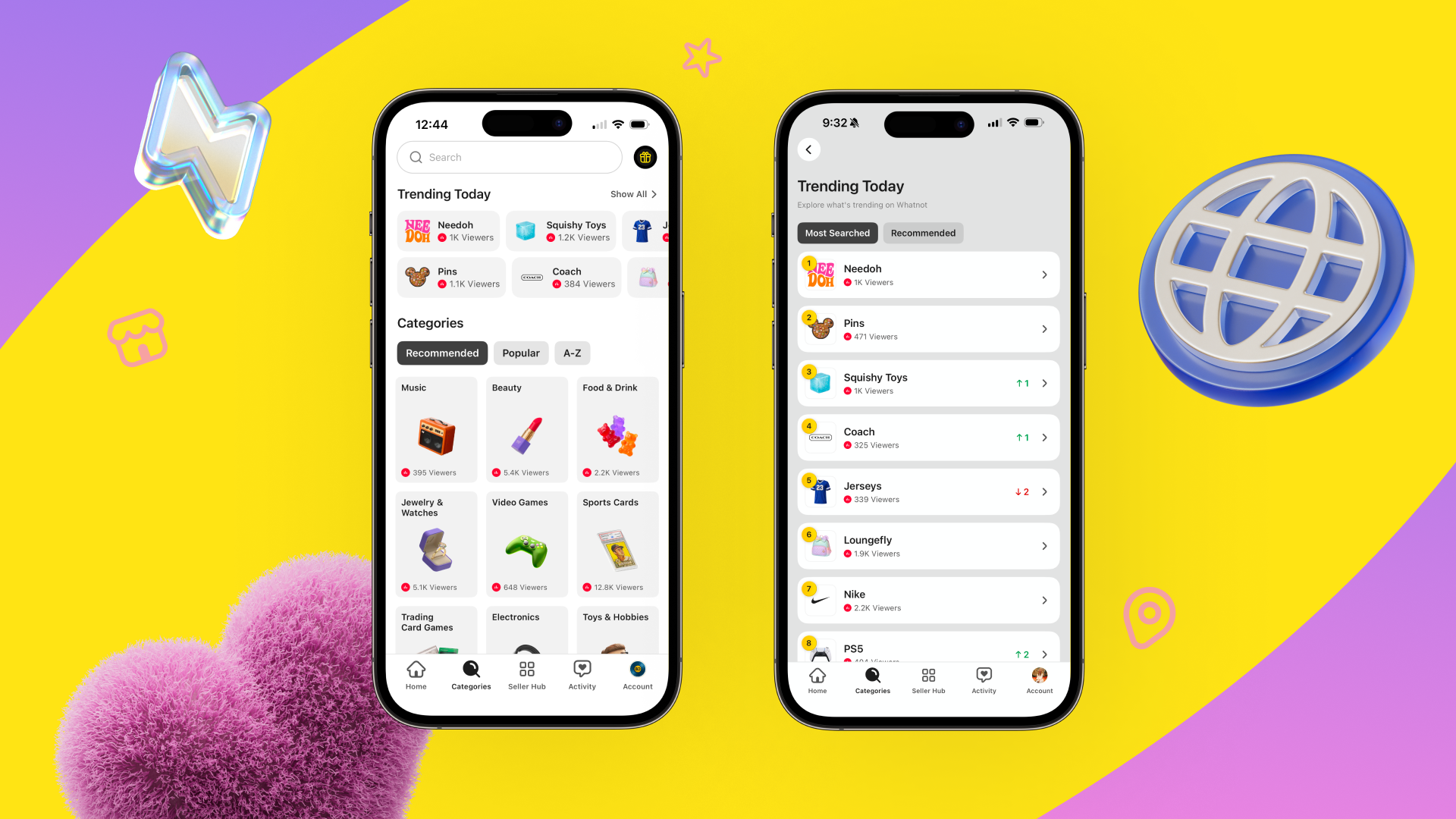
Top Trends are one way we're bringing real-time buyer demand directly into discovery. Powered by search behavior on Whatnot, they highlight what buyers are actively looking for across the marketplace in real-time.
On average, Whatnot users perform roughly 900,000 searches on the platform every day. That's hundreds of thousands of signals that help us understand what's gaining traction and where buyer interest is growing.
And they update dynamically based on marketplace activity. Because Top Trends are informed by the same signals that power discovery across Whatnot, they provide sellers with a more current view of what's capturing buyer attention. For sellers, this creates a powerful advantage: visibility into demand before it becomes obvious.
If you're looking for signals of where demand is building, a few trends currently stand out:
Buyers can't seem to get enough of NeeDoh, which continues to rank among the top searches on Whatnot.
Sports Jerseys are seeing a surge in interest as the FIFA World Cup keeps sports fans engaged and shopping.
Coach is back in the fashion spotlight, with their handbags holding strong resale values and growing popularity among younger buyers.
How to use it: Click “Categories” and under the Search bar, you’ll see what’s Trending Today. You can toggle between “Most Searched” and “Recommended,” which are more specific to you. Think of Top Trends as a daily pulse check on buyer demand. If you see a trend that aligns with your inventory, consider highlighting it in upcoming shows while interest is growing.
More Ways for Buyers to Find You: New Subcategories

As more inventory comes onto Whatnot, helping buyers find the right products becomes increasingly important. We're continuing to expand and refine categories to improve navigation and create better connections between buyers and sellers.
New subcategories include:
Sports Cards: Bo Jackson Battle Arena
Beauty: Skincare
Food & Drink: Meat & Seafood; Specialty Food
Rocks & Crystals: Mineral Specimens
These additions help buyers browse with more precision while giving sellers more relevant places to showcase inventory.
How to use it: Review your listings and shows to make sure they're categorized as accurately as possible. Small adjustments can make a meaningful difference in discoverability.
Make Discovery Count: Use Real Inventory Photos
Getting discovered is only part of the equation. Buyers also need a reason to click.
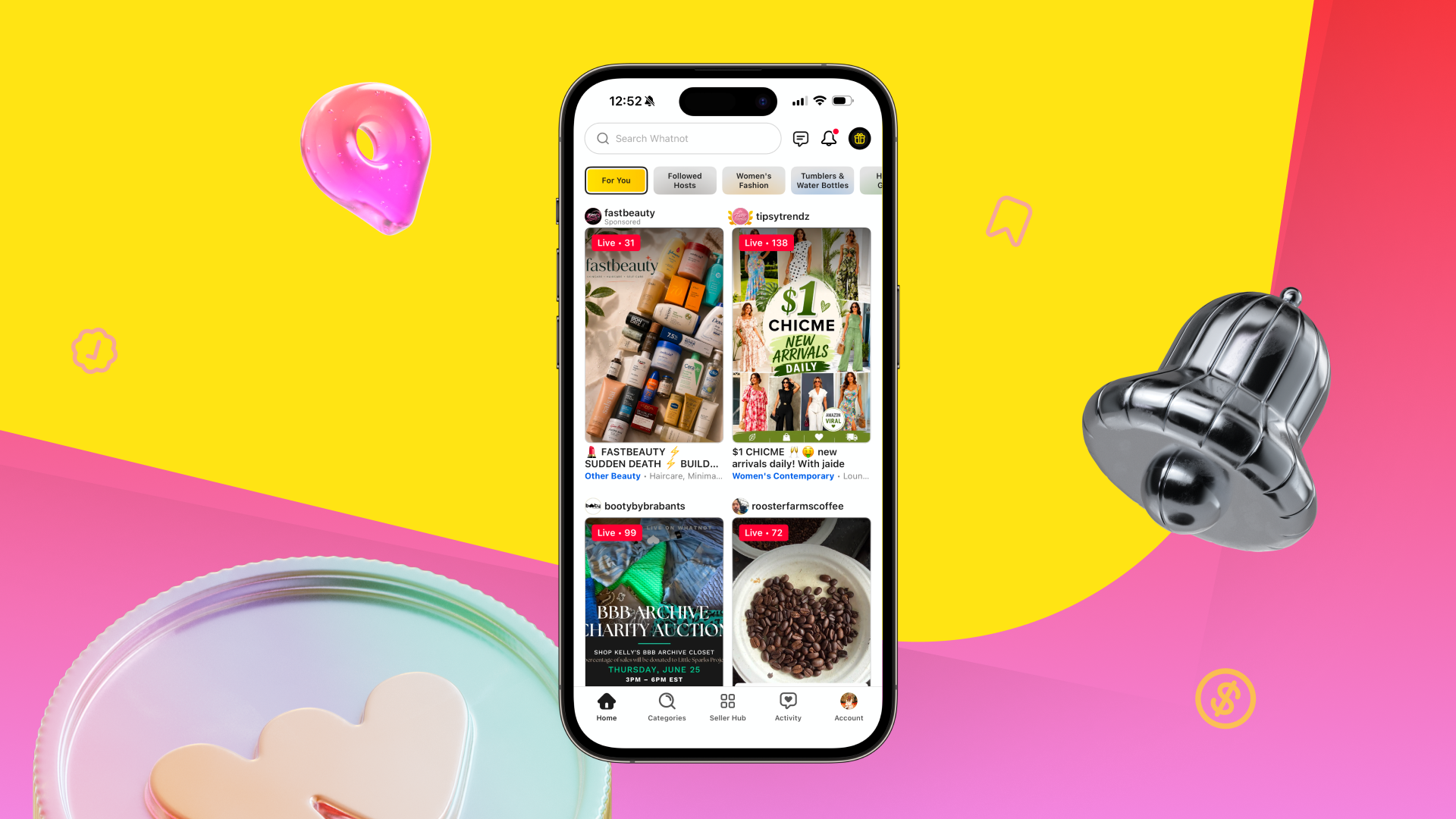
One of the easiest ways to communicate what your show offers is through your thumbnail. When buyers are browsing dozens of live shows, clear photos of your actual inventory help them quickly understand what's for sale and whether it's relevant to them.
Real product images set clear expectations, build buyer confidence, showcase the quality and uniqueness of your inventory, and attract shoppers who are already interested in your category. We consistently see that buyers respond better to authentic images of real products.
AI-generated images often make it harder for buyers to understand what will actually be featured in a show. The most effective thumbnails tend to be the simplest with real inventory, clearly presented.
How to use it: Before scheduling your next show, take a look at your thumbnail. If a buyer saw it for the first time, would they immediately know what you're selling? If not, consider swapping it for a photo of your actual inventory.
Happy Selling!
– Whatnot Product Team