Product Spotlight: New ways to understand and engage your live audience
Every live show is different.
Some shows start strong. Others take a few minutes to find their rhythm. A certain product might bring in new viewers, get the chat moving, and lead to more bids and sales. When the room slows down, changing your approach can help rebuild momentum.
The more you understand what’s happening during your show, the easier it is to decide what to do next. We’re introducing new Live Analytics that give you a clearer view of your sales and audience, more ways to engage viewers, and new opportunities to turn early interest into active bidding and sales.
Here’s what’s new.
Read the Room With Live Analytics
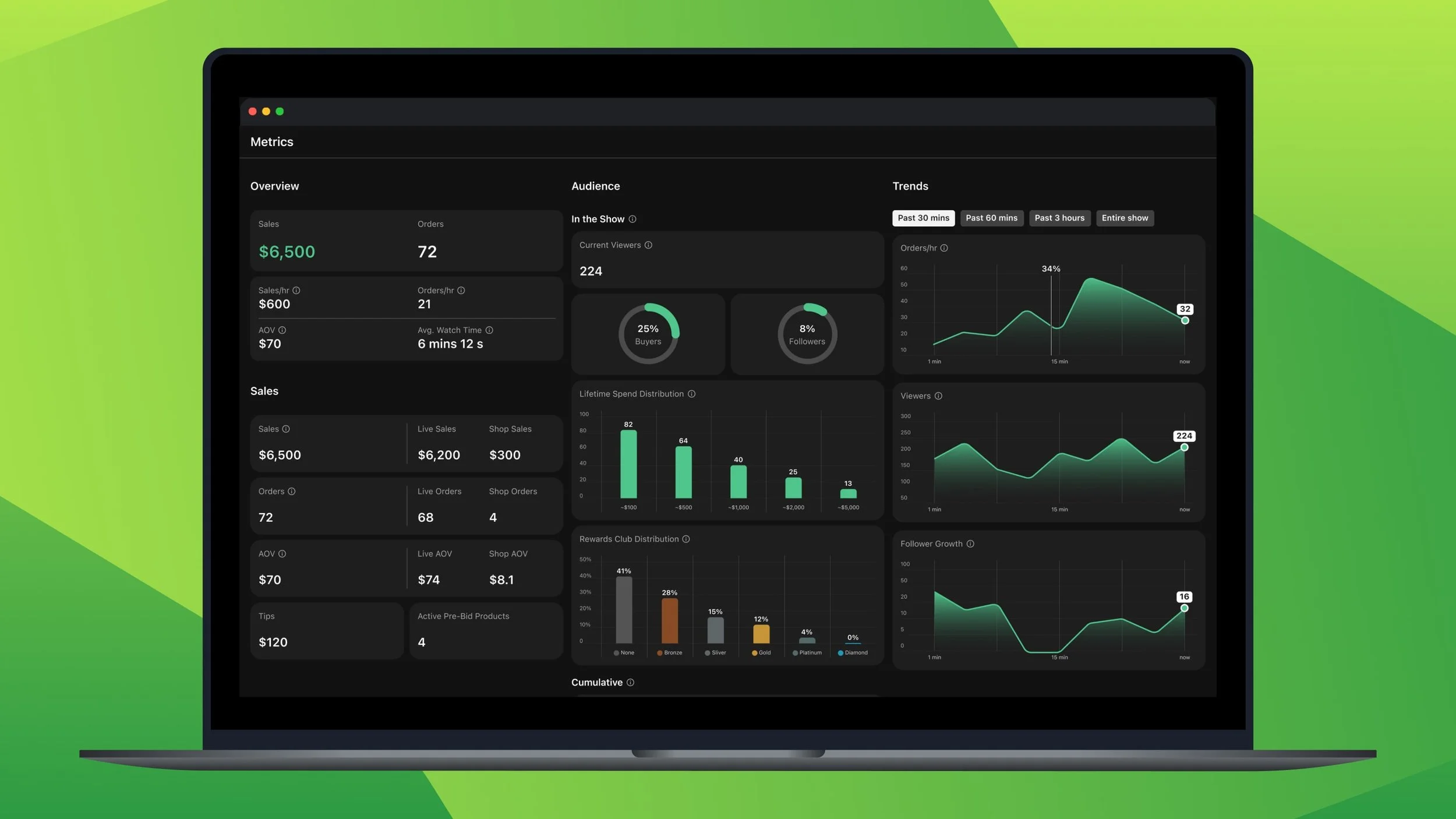
When you're live, knowing what's working can help you decide what to do next.
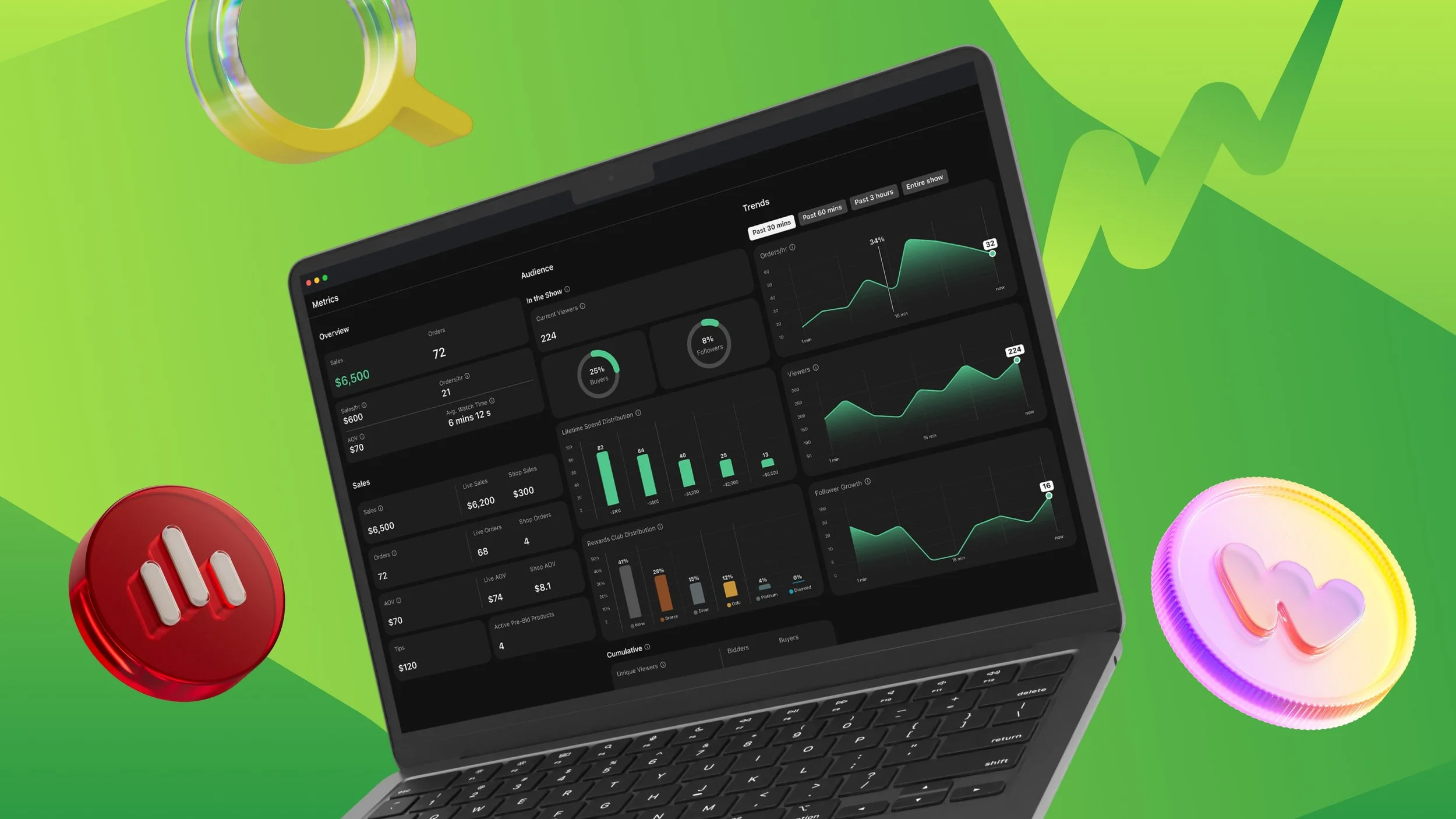
We’ve added a new Live Seller Analytics panel to your Live page, available on web only, so you can better understand your audience and how your show is performing in real time. See new metrics like sales per hour, orders per hour, and average watch time. You can also see how your revenue is split between live and shop sales.
Audience insights show how many of your viewers have bought from you or followed you before, and how much they've historically spent. You'll also see how your viewers and buyers split between new and returning. Live charts track changes in orders, viewers, and followers, with the option to focus on the past five minutes.
These insights show you what’s changing while you still have time to act. If the room slows down, try changing the pace or pulling out something different. If an item drives more orders, viewers, or followers, keep building on that momentum.
We’re also adding seller-only chat badges that identify first-time buyers and buyers who have already purchased from you. That extra context can help you welcome someone new, answer questions, or recognize a buyer who keeps coming back. Only you can see these badges.
How to use it: To keep Live Analytics open during your show and watch for changes in viewers, orders, and follows, use the "pop out" button. This expands the smaller widget into a full 4-panel view that gives you richer insights while you stay live. Pair the signals on the dashboard with chat badges to better understand your audience and adjust your sales approach in real time.
Give Buyers More Ways to Participate With Points
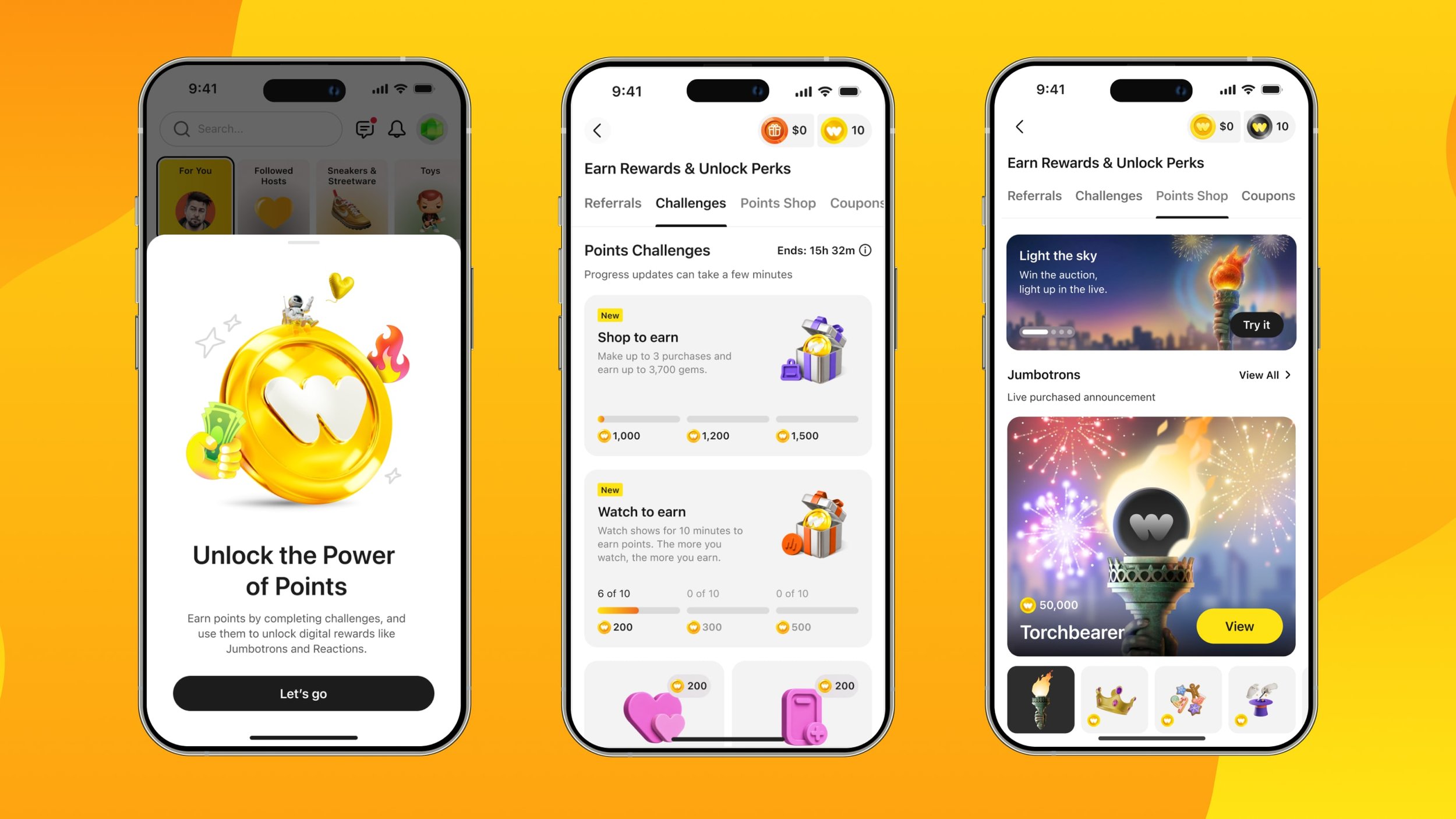
Participation in a live show goes beyond bidding. Buyers follow sellers, save upcoming shows, join the conversation, and react to what’s happening on screen. Each action adds to the energy and community that make live shopping different.
Points gives buyers more reasons to take part. Every day, 1 in 5 active buyers opens the Points page, and 75% of them complete a Challenge, such as watching a live show, saving an upcoming show, or following a new seller. In testing, eligible buyers were 3X more likely to follow a seller or save a show.
Buyers can redeem their Points for special reactions, including cheers, hearts, and crowns, or for Jumbotrons, celebratory animations that appear after a purchase and feature the buyer’s name and avatar. These experiences have quickly become an important part of live shows: special reactions now account for 60% of all reactions, and more than 1 in 5 live orders includes a Jumbotron.
If one suddenly takes over your screen, a buyer is celebrating. These features give buyers another way to join the show and give you another opportunity to recognize the people spending time with you.
How to use it: When you see a reaction or Jumbotron, acknowledge it. Recognize the buyer, have fun with the moment, and use that participation to keep the show’s energy moving.
Build More Demand Before You Go Live
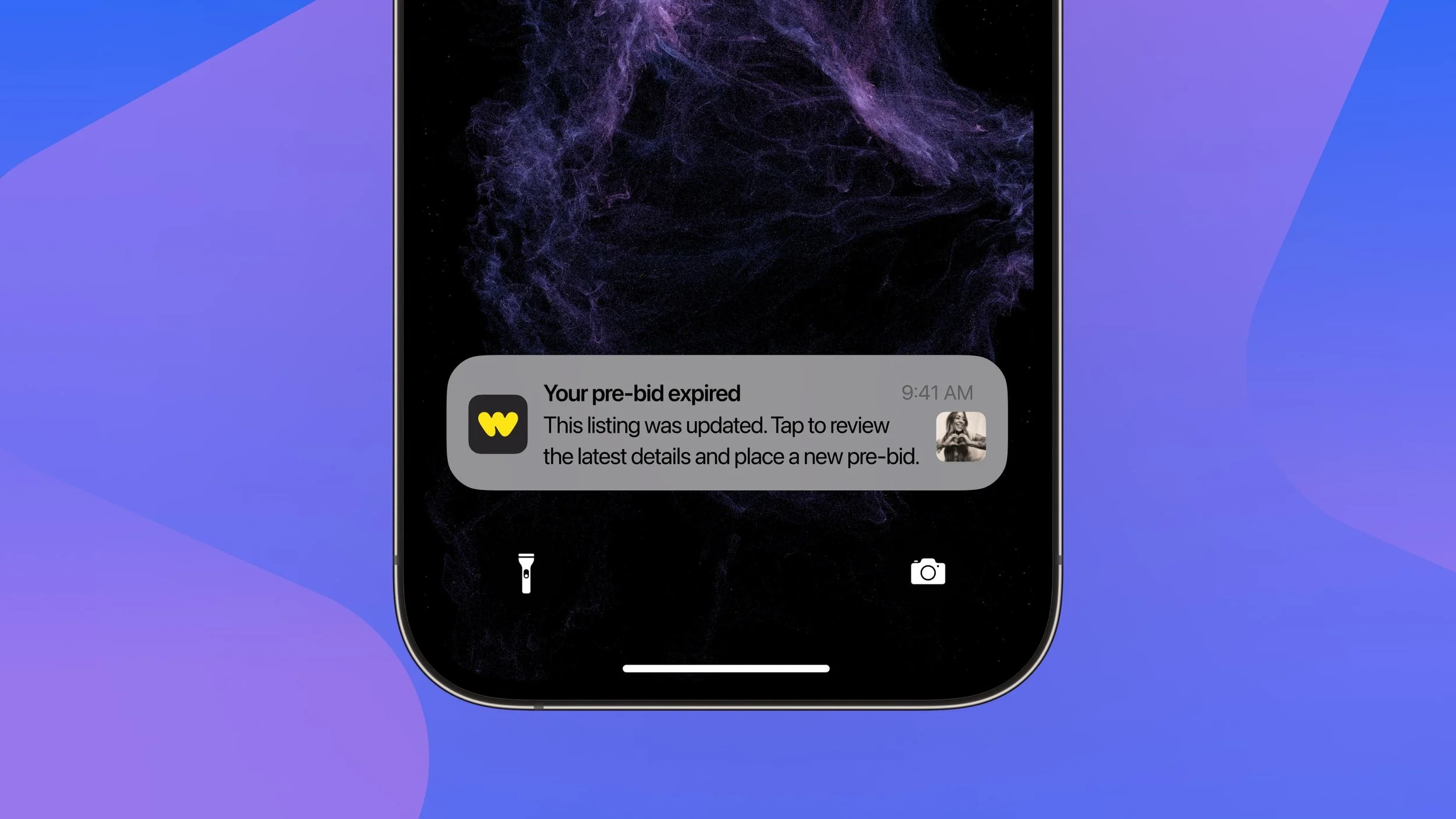
Detailed listings help buyers discover what you’re selling, understand the item, and place a pre-bid before the show starts.
And now, we’re making those pre-bids work harder for you. If a buyer is outbid before your live show begins they’ll receive a notification that takes them directly back to the listing, giving them a chance to raise their bid.
The earlier buyers discover and bid on your inventory, the more opportunity you have to build competition and increase the sales price before you even go live.
Early results are promising: since we launched outbid notifications, daily prebidders are up 4% and pre-show pre-bids have increased 7%.
How to use it: List your strongest inventory before your show and give buyers enough detail to bid with confidence. Use clear photos and titles, add the right category and product details, and make listings available early enough for buyers to discover them. Once they place a pre-bid, outbid notifications can help bring them back if the auction moves past them.
Also this month: Seller Provided Support Rolling Out Across the US
A quick reminder that Seller Provided Support (SPS) started rolling out to all US sellers on September 1.
SPS gives you ownership of buyer support requests and the tools to resolve issues directly with buyers. Most sellers are already using SPS to provide support and build buyer trust.
Whether you’re already on SPS or will be soon, here are a few things to keep in mind:
Respond to each buyer request individually, even if the same buyer submits multiple requests.
If you need more time to investigate, respond within two business days and let the buyer know you're working on it.
Monitor your SPS Response Rate. Once your initial 30-day period ends, it will count toward Premier Shop eligibility and Account Health.
Join our Product live, September 30, at 11:00 AM PT / 2:00 PM ET / 7:00 PM BST on @whatnotsellers to learn more about navigating SPS and get some of your product questions answered. Save and join the show here.
Happy selling!
– Whatnot Product Team