A lot goes into a show before you go live, from choosing what to sell to getting everything set up. We’re always looking for ways to make that work easier and faster.
This month, you can duplicate a show instead of setting it up again, create listings you can reuse, and use refreshed Seller Analytics to see what worked after each show to plan the next one. We’re also testing Party Purchase, a new way for buyers to shop together during your show and unlock rewards when they reach a shared goal.
Here’s what’s new.
Set Up Faster With Show Duplication
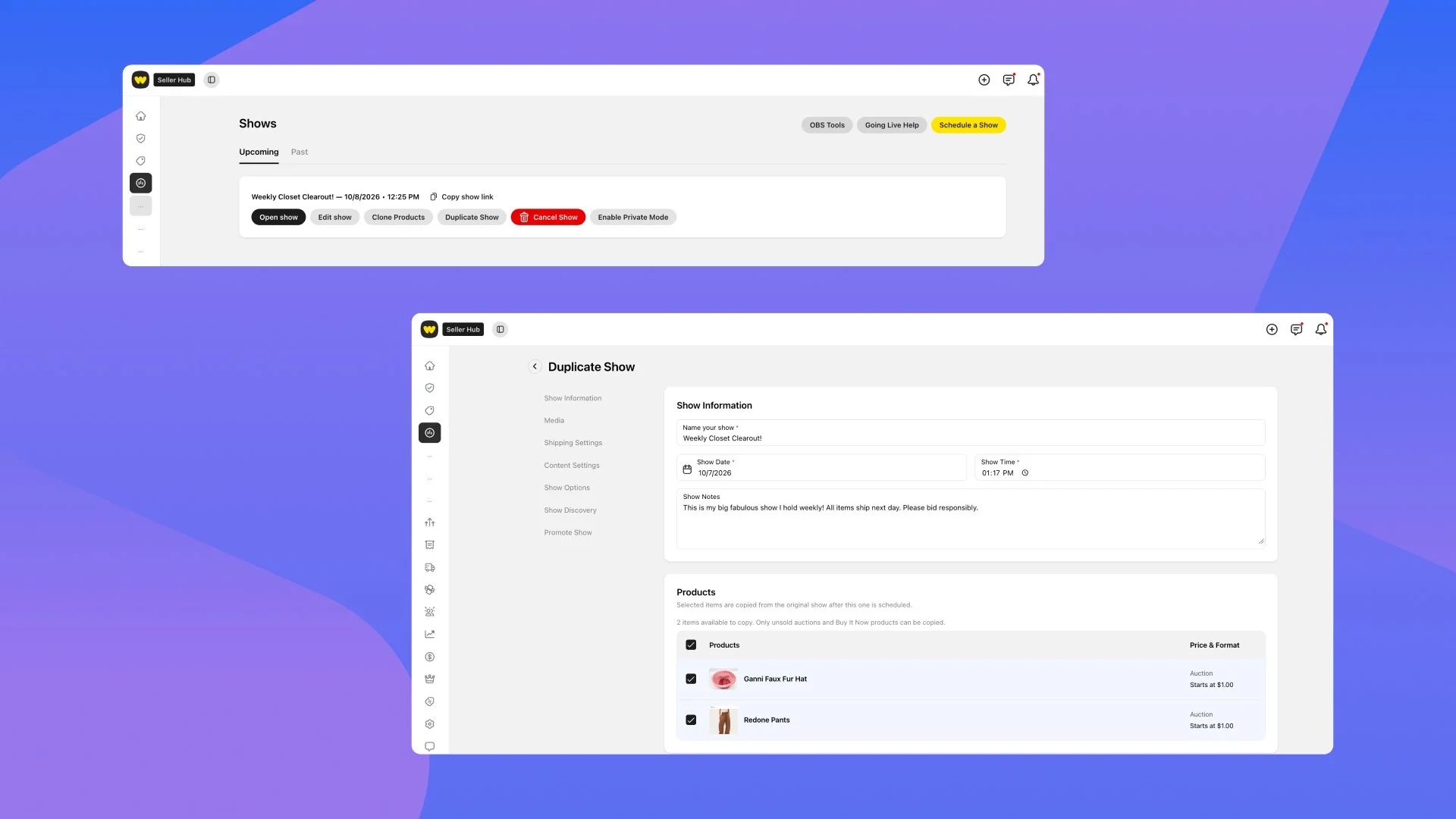
Same weekly show, new date? You shouldn’t have to fill in all the same details again.
More than 40% of scheduled shows shared a title with another show by the same seller. With Show Duplication, you can now use an upcoming or past show as the starting point for your next one, saving time on repeat setup.
Your title, thumbnail, moderators, category, selling format, settings, and show notes carry over. You can also choose to bring over available inventory that hasn’t sold out. In testing, Show Duplication made show setup over 4x faster, reducing median show creation time to just 26 seconds.
How to use it: Go to Upcoming or Past shows in Seller Hub and select the Duplicate button next to a show. Review your details, notes, and inventory, then choose when you’ll go live.
Create Listings You Can Use Again
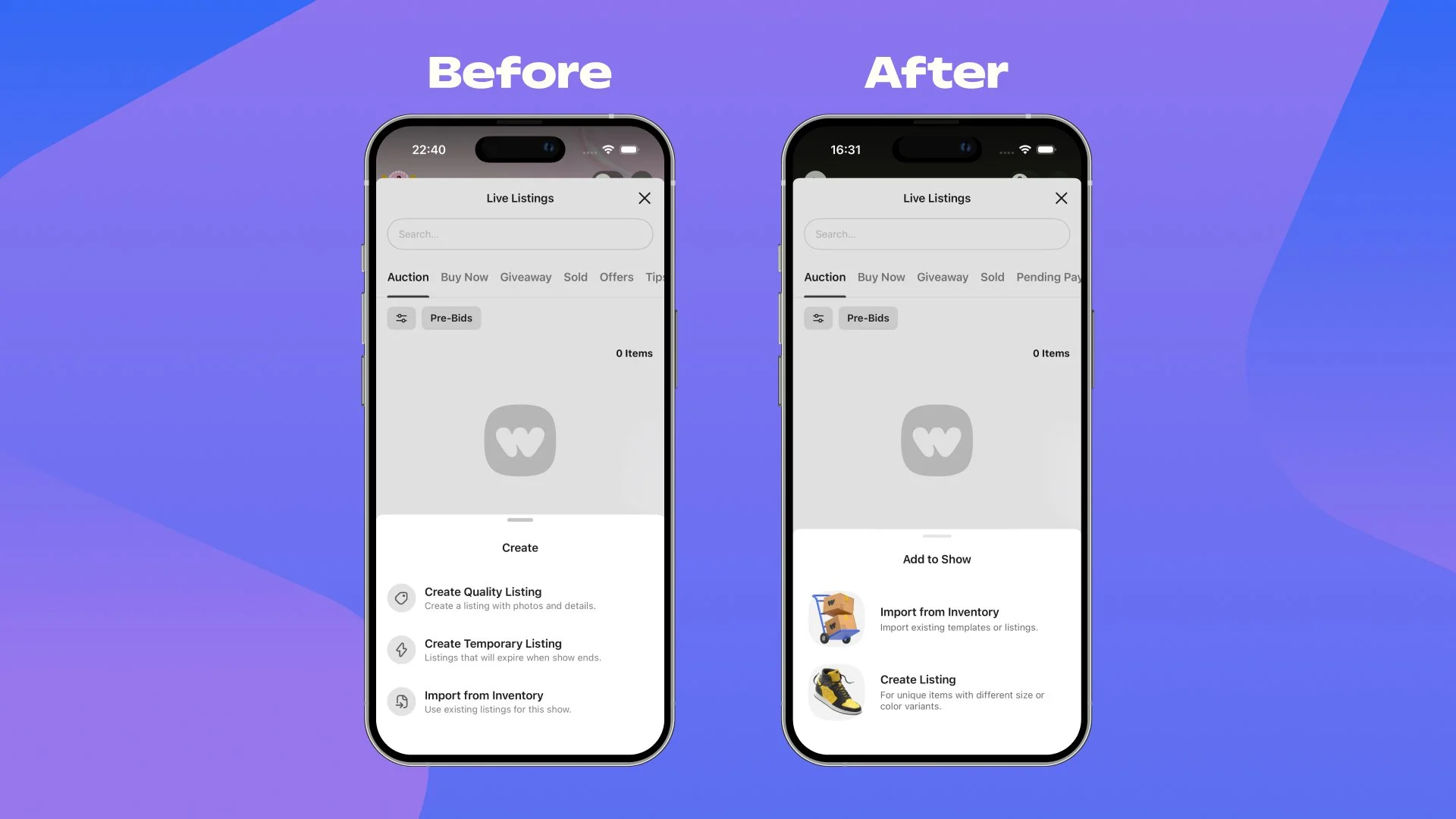
Like our new Show Duplication tool, the work you put into a listing should last beyond one show. If you regularly sell similar items, you can now reuse your listings instead of recreating them each time you go live.
We’ve brought all listing creation on mobile into one Create Listing flow, replacing the separate Create Temporary Listing option. Here’s what that means when you’re adding items:
Before you go live: Add a photo and description to publish your listing. Buyers can see what you’re selling before the show, and those details are ready when you reuse the listing. Last year, 91% of new buyers made their first purchase from a more detailed listing.
While you’re live: Photos and descriptions remain optional, so you can keep creating listings as you show items on screen.
This update is currently available on mobile, with web to follow. Giveaways still need to be created within a show.
How to use it: Create your listings in the Inventory section of Seller Hub and assign them to your upcoming show, or directly from within a show. When you’re ready to schedule another, you can use those listings again.
Plan Your Next Show With Refreshed Seller Analytics
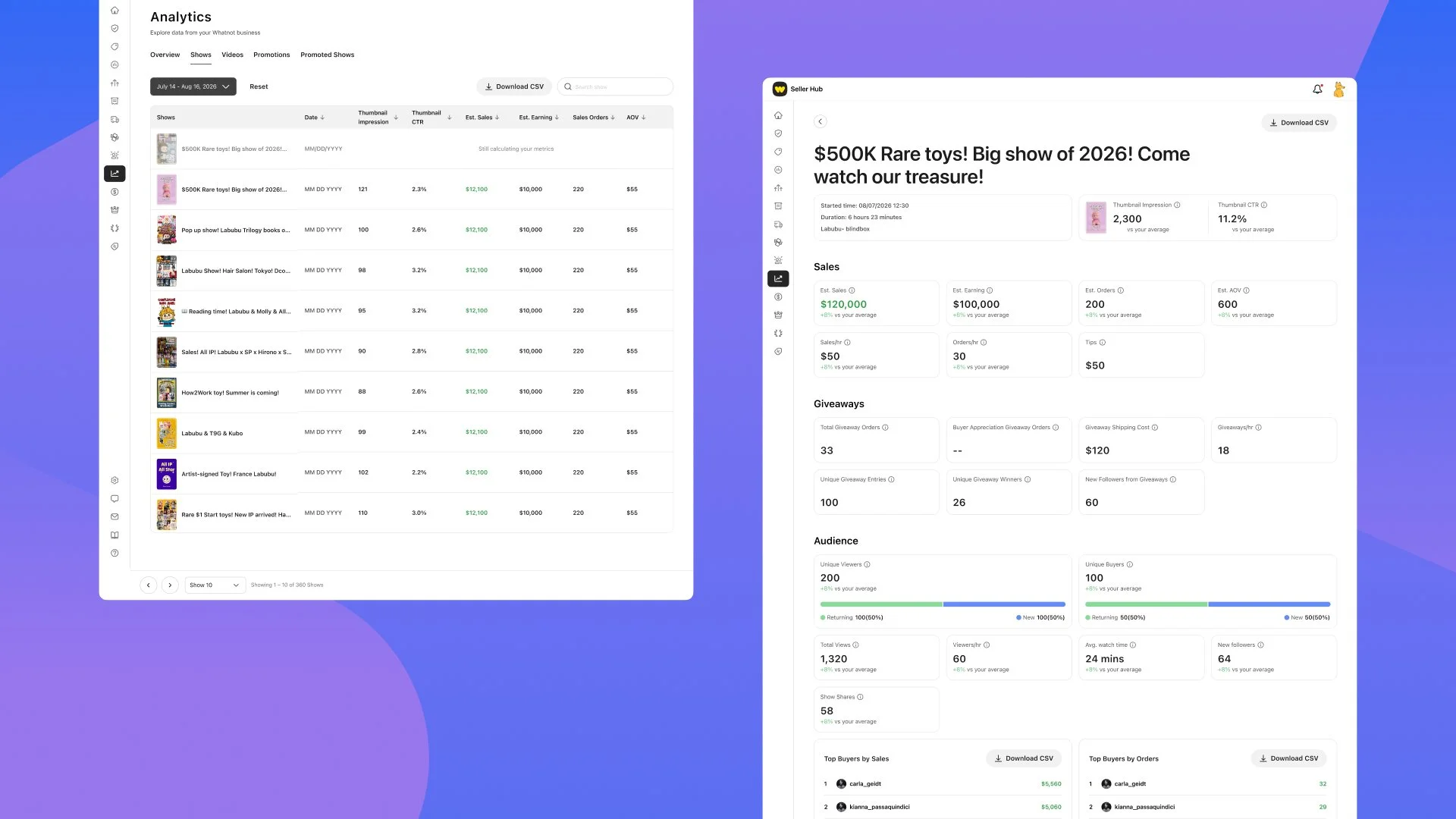
Once a show wraps up, you probably have a sense of how it went. But looking at the actual numbers and results can help you decide what to do again and what to change.
Last month, we introduced Live Analytics to help you follow your sales and audience while live. Already, 70% of the top 1,000 sellers by sales use it every week, with many using it five or more days a week. Now, we’re building on that with more ways to review your results after a show ends.
You’ll see an updated Overview section that puts more metrics front and center, with new charts and breakdowns, so you can spend less time digging through dropdowns and more time seeing what’s working. We also introduced a new Livestreams view that brings all of your past shows into one list, with 3x the show history, so you can spot patterns across three months of shows. Compare results, spot trends, and open any individual show for a closer look at its metrics and charts.
Lastly, your Post Show Analytics reports are now ready within hours instead of a full day, so you can review your results while the show is still fresh in your mind. The goal is to decrease this to minutes in the future.
How to use it: Open Seller Analytics in Seller Hub and compare a few recent shows. Pick one that stands out, then look more closely at its results. Think about what you sold and how you ran that show, and use what you learn to plan your next one.
Try New Selling Formats with Party Purchase, Coming Soon
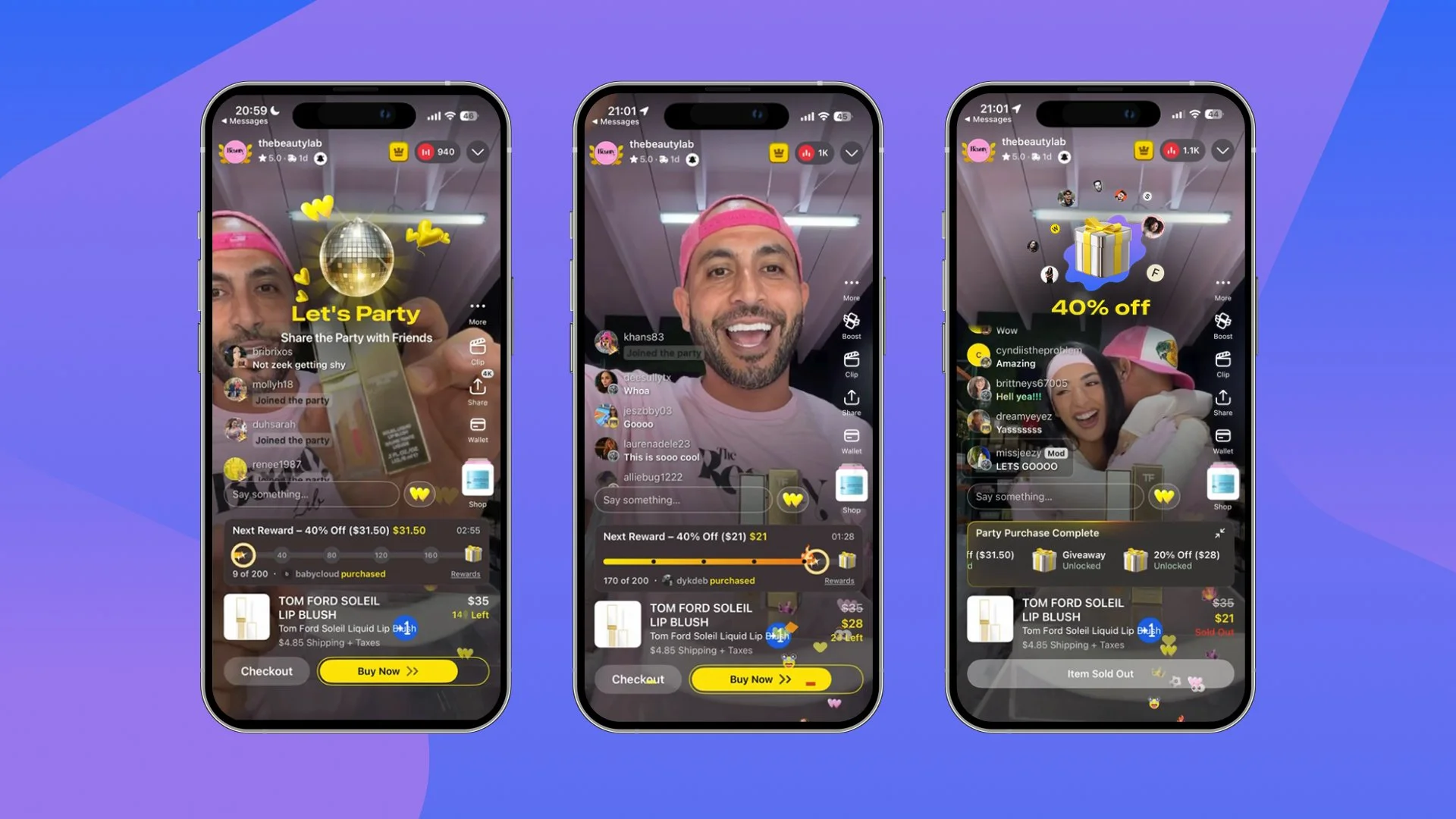
Community is a big part of what makes a Whatnot show work. Buyers come for the items, but they also get to know the seller, chat with other buyers, and share what's happening live. We’re testing Party Purchase to give that community a new, engaging way to shop together and bring even more energy to live shows.
For eligible Buy it Now items, buyers can choose to join a shared purchase goal, with discounts or other rewards unlocking when the group reaches it. The price, goal, and reward are clear up front, so each buyer can decide whether to take part. For sellers, it’s a new way to sell fixed-price items and create another shared moment in your show.
Get early access: We’re currently testing Party Purchase with a small group of sellers to learn what works for different shows and communities. We’ll keep you posted as access expands, but you can join the waitlist today.
Happy selling!
– Whatnot Product Team