Someone might join your show because they spotted a watch they’ve been looking for. A question about its history turns into a conversation, other collectors chime in, and suddenly they’ve found more than their next purchase. They’ve found a seller and a community they want to come back to.
As a seller, you make those moments happen through your selection, your knowledge, and how you welcome people into your show. With holiday shopping picking up, this month’s updates give you more ways to help new buyers find you, shop your inventory, and come back for more.
We’re adding dedicated categories for shared interests, making Spanish-language shows easier to find, bringing leaderboard recognition into your shows, and giving you more flexibility to run Flash Sales across sizes, colors, and other options. For sellers in the US and Canada, new Whatnot Gift Cards can be used for giveaways, making it easier to reward your audience and giving buyers a reason to keep exploring and shopping.
Here’s what’s new.
Run Gift Card Giveaways: No Shipping, No Reviews
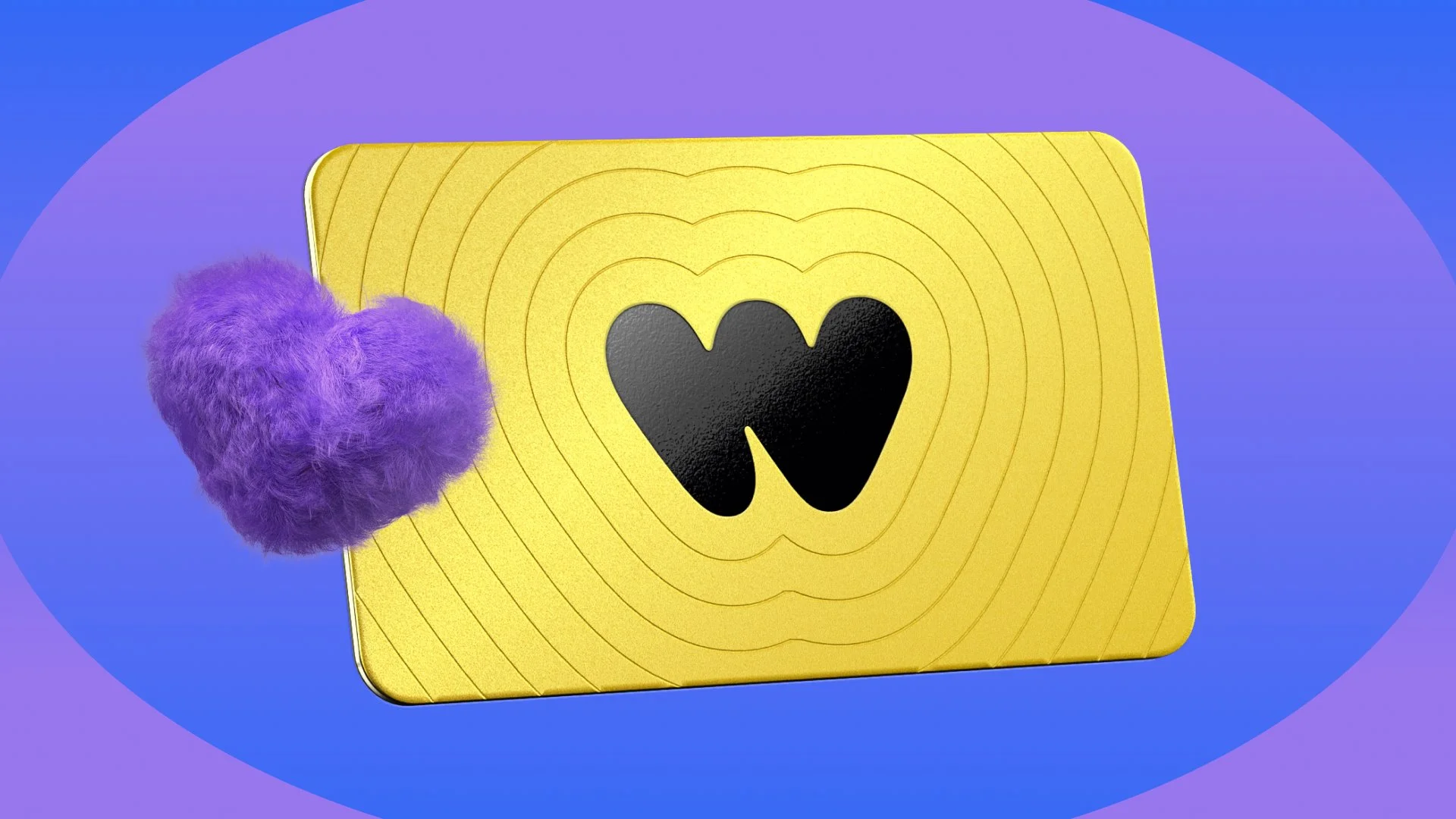
A giveaway can introduce someone to your business or give your regulars another reason to come back. Now, you can reward your audience with a Whatnot Gift Card, with nothing to pack or ship and no review attached to the giveaway. Winners can spend it on eligible purchases in your show or elsewhere on Whatnot.
Whatnot Gift Cards are now available to eligible sellers in the US and Canada. Buy a digital Whatnot Gift Card starting at $5 right from your show and run it as a giveaway. Eligible winners add the card to their wallet and can use it on eligible purchases across Whatnot.
Sellers testing the feature have noticed some winners spending their Gift Cards right away. With holiday shows picking up, it’s another way to thank your community and help buyers find their next purchase, without adding to your fulfillment queue.
How to use it: Purchase a digital Whatnot Gift Card from your show's Giveaway tab and select it as the prize for a giveaway. Once awarded, there’s nothing for you to ship.
Turn Shared Interests Into New Connections

We’ve added dedicated categories for Vintage Watches, Opals, Marbles, and Tennis Cards, giving buyers more specific places to browse and you another way to put your shows in front of people interested in what you sell.
Not every buyer starts out as a collector. Someone might spot a vintage Cartier or follow a tennis player’s season before getting curious about their cards. Those moments can open the door to a whole category.
In tennis, Alexandra Eala’s 2026 Topps NOW card had a print run of 17,380 copies. A show featuring a favorite player’s cards could give fans a starting point for exploring the hobby.
That’s where your knowledge comes in. You can explain the history behind a watch, show how an opal catches the light, or help a tennis fan choose their first card. With most opals on Whatnot coming from Australian sellers, the new category also helps buyers discover sellers beyond their local market. A dedicated category helps buyers find you, and your expertise helps them explore.
How to use it: Choose the category that best matches your inventory when scheduling. Use a clear, specific show title and a thumbnail featuring your actual inventory so buyers know what to expect when they join.
Help Spanish-Speaking Buyers Find Your Show
Live shopping comes with a lot of conversation. Buyers ask about sizing, get a closer look at an item, and chat with you and each other before deciding what to buy. Being able to follow that conversation matters.
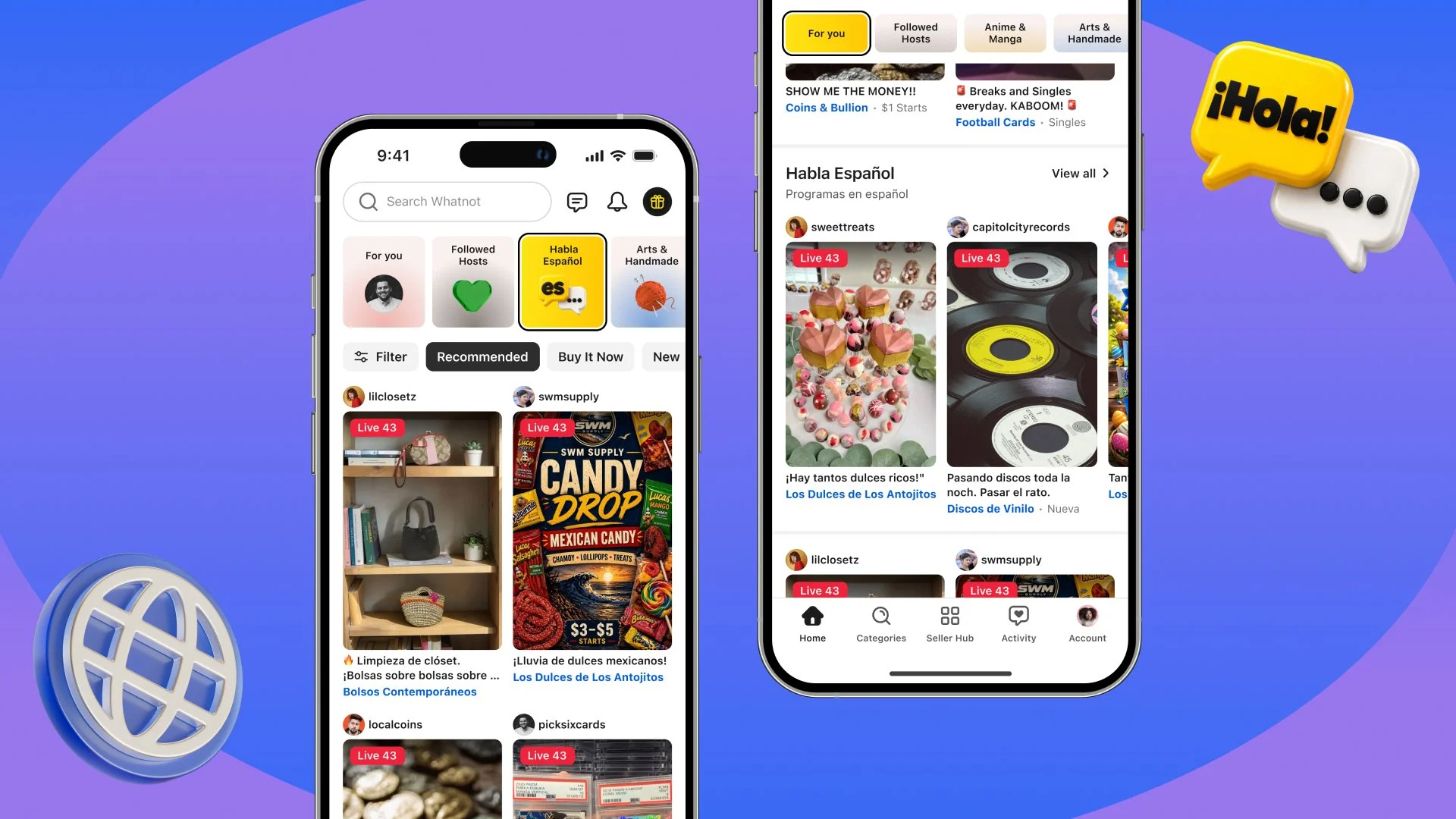
Spanish-speaking buyers and sellers are already on Whatnot, but it hasn’t been easy enough for them to find each other. We’re introducing Se Habla Español, a new category to browse Spanish-language shows and connect with buyers who want to shop in Spanish.
You can now select Spanish when scheduling your show, and it will automatically be included. Buyers whose device language is Spanish will also see a dedicated shelf in their For You feed, giving them another way to discover you.
When buyers find shows in their preferred language, they engage more and stick around longer. In testing, buyers whose device language was Spanish watched Spanish-language shows for nearly 5x as long as other shows. That’s more time to explore your inventory, ask questions, and get to know your business.
How to use it: Select Spanish as your show language when scheduling a Spanish-language show. Your show will automatically be included in Se Habla Español.
Get Recognized With Seller Leaderboards
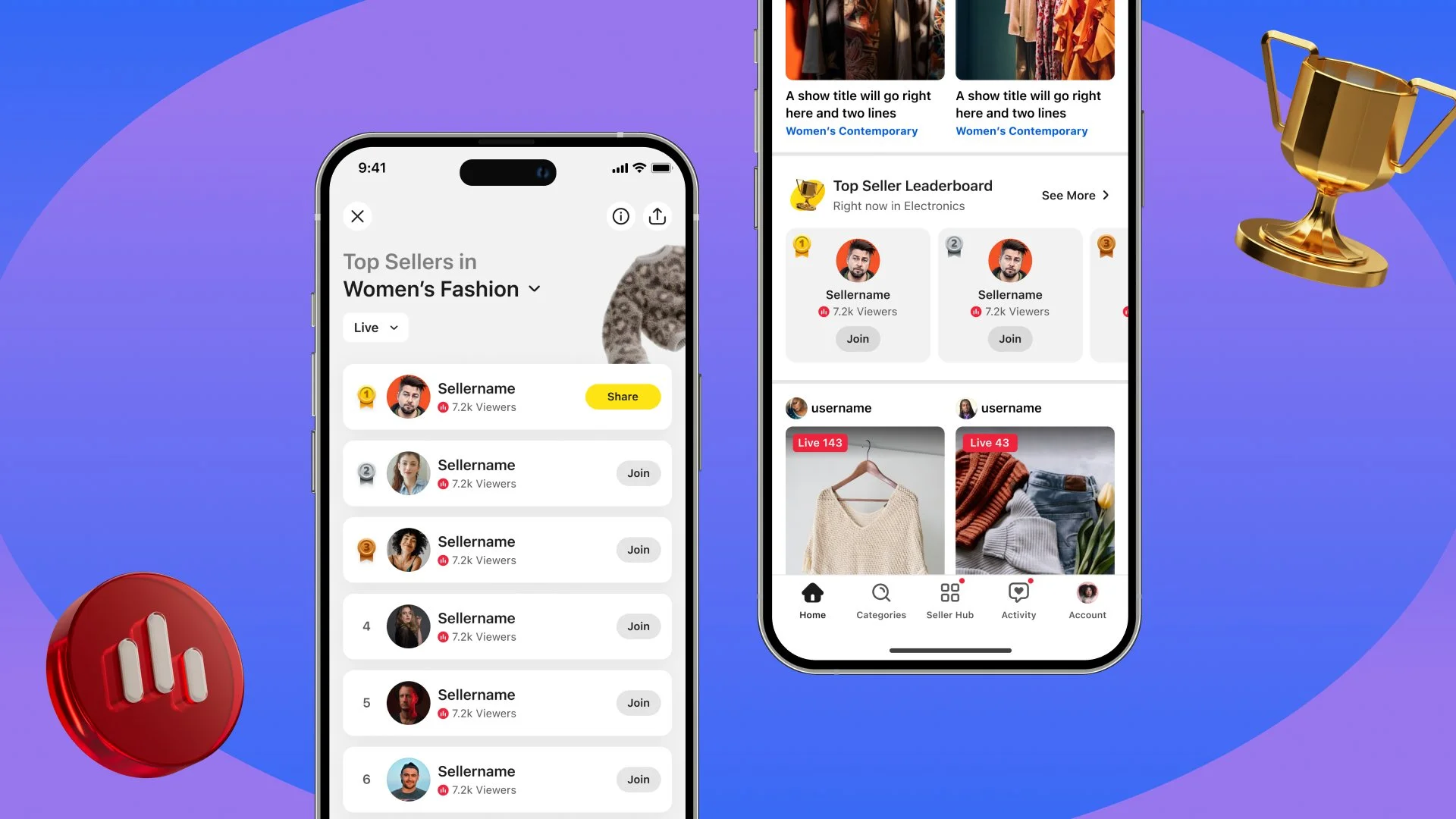
Your regulars know what makes your shows worth joining. A first-time viewer is still getting to know you. Seller Leaderboards give them another way to discover your business and see how you’re performing in your category.
We’ve been testing Seller Leaderboards, real-time rankings within each region and category, based on sales and viewership. Now, that recognition shows up while you’re live.
If you’re in the Top 10, your rank appears in your show header. When you reach a new Top 3 milestone, a pinned message in chat lets viewers know, giving your community a moment to celebrate with you.
Making rankings visible during shows is getting more people to explore. In testing, live entry points more than doubled taps to open leaderboards and increased interactions within leaderboards by 53%. A buyer can discover the leaderboard while watching a show, then explore other ranked sellers who share that specialty.
How to use it: Go live consistently and give viewers reasons to stick around, from answering questions to previewing what’s coming next. The Live Leaderboard reflects the last four hours of activity, so longer shows give you more time to build sales and engagement. Check your ranking during your show and celebrate milestones with your viewers.
Run Flash Sales Across the Sizes and Colors You Choose
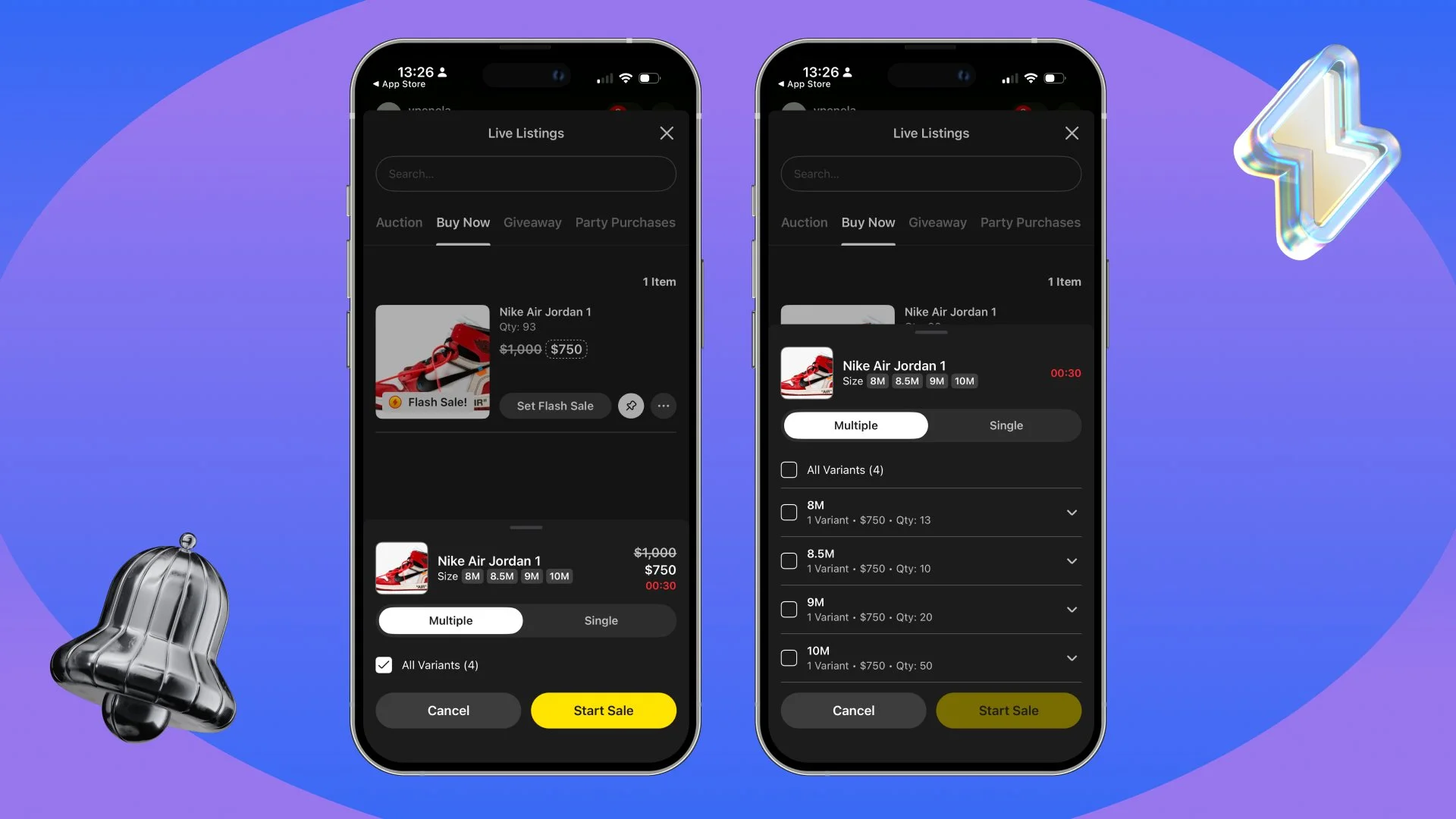
Planning your Black Friday deals? If you have plenty of blue sweatshirts left, but only a few grey ones, you might want to discount every size in blue while keeping grey at its regular price. Or put the whole listing on sale and let buyers pick their favorite.
You can now run a Flash Sale across all, some, or just one variant in a listing, giving you more control over what goes on sale.
This has been the most requested feature for variants since we launched them earlier this year. Rather than running a separate sale for each variant, you can include multiple sizes, colors, or other options in one Flash Sale. Buyers choose what they want and see the price that applies to it.
How to use it: When starting a Flash Sale on a listing with variants, select which options to include. Choose all variants for a listing-wide deal, or specific sizes, colors, or options for a targeted sale.
Happy selling!
– Whatnot Product Team